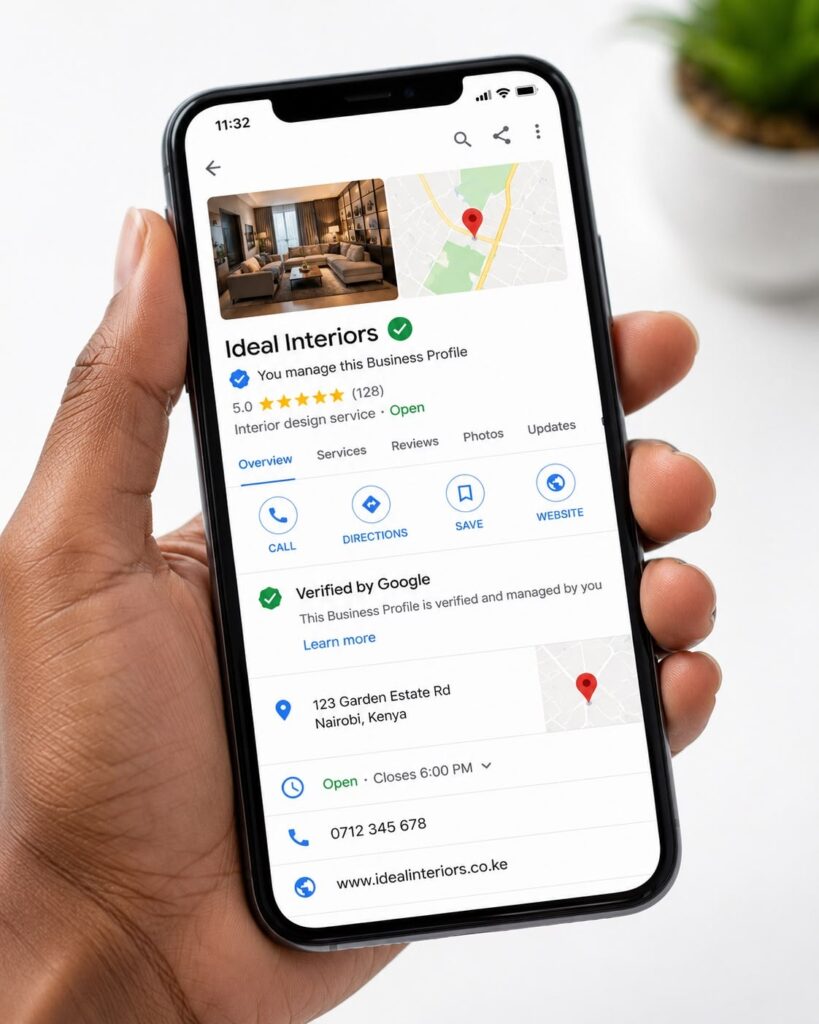
Google Business Profile optimization helps local businesses improve their online visibility and attract more nearby customers through Google Search and Google Maps. In 2026, having a business profile is not enough. You need accurate information, genuine customer reviews, quality photos, and an optimized website to stand out from competitors.
Table of Contents
Why Is It Important in 2026?
Google Business Profile Optimization is important because many customers search online before visiting or contacting a business.
The main benefits of Google Business Profile optimization include:
- Better local visibility: Improve your chances of appearing in relevant local searches.
- More customer inquiries: Make it easier for people to call or visit your website.
- Increased trust: Genuine reviews and quality photos help customers make decisions.
- More local traffic: Help nearby customers discover your business.
- Improved customer experience: Provide accurate information before customers visit.
Google considers factors such as relevance, distance, and prominence when determining local search rankings. Optimization can help, but it cannot guarantee the top position.
10 Steps to Optimize Your Profile
1. Complete Your Business Information
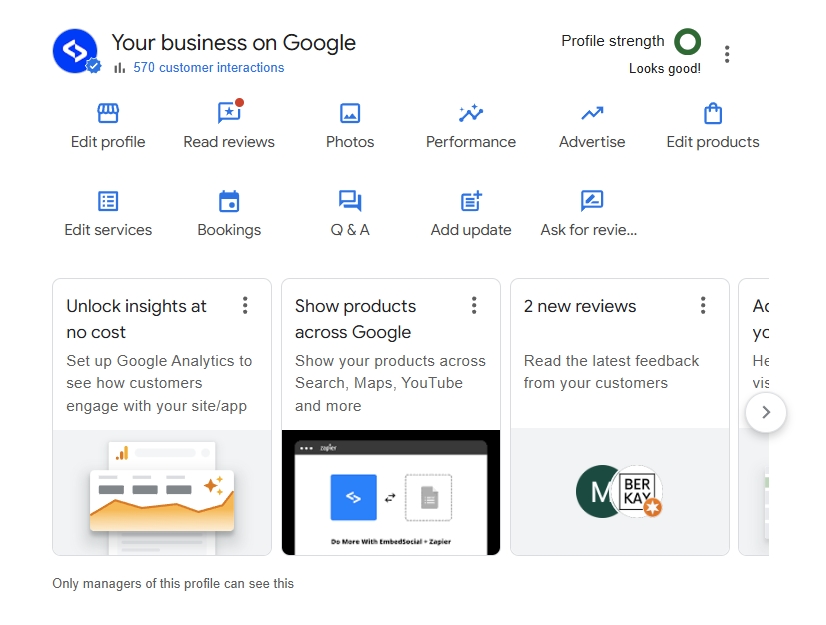
Make sure your profile contains accurate and complete information.
Include:
- Business name
- Correct business address or service area
- Phone number and website
- Opening hours
- Primary business category
- Relevant additional categories
- Products and services
Tip: Use your real business name. Avoid adding unnecessary keywords or locations to manipulate rankings.
2. Choose the Right Business Category
Your primary category helps Google understand what your business does.
For example, a digital marketing agency should select the category that best represents its main business activity.
Add secondary categories only when they accurately describe your services.
Choosing relevant categories can help Google connect your business with suitable searches.
3. Use Relevant Local Keywords
Keyword research helps you understand what potential customers are searching for.
For example, a business in Kochi might target:
- Digital marketing agency in Kochi
- SEO services in Kochi
Use these keywords naturally in relevant website pages, service descriptions, and blog posts.
Avoid keyword stuffing. Your content should be useful and easy to understand.
4. Upload High-Quality Photo
Give customers a better understanding of your business before they visit.

Consider uploading:
- Business logo and cover photo
- Office or shop photos
- Product images
- Team photos
- Photos showing your services
Use genuine, clear images that accurately represent your business. Add new photos when you have meaningful updates to share.
5. Collect Genuine Customer Reviews
Customer reviews help build trust and allow potential customers to learn about other people’s experiences.
You can encourage honest reviews by sharing your Google review link after completing a service or purchase.
How to Manage Reviews
- Thank customers for positive feedback.
- Respond professionally to negative reviews.
- Address genuine complaints.
- Use feedback to improve your service.
Important: Never purchase fake reviews or offer incentives in exchange for positive reviews. Follow Google’s review policies.
6. Publish Useful Business Posts
Google Business Profile posts allow eligible businesses to share updates with customers.
You can publish information about:
- New products or services
- Business announcements
- Seasonal offers
- Upcoming events
- Helpful industry tips
Keep your posts clear, relevant, and useful. Add a suitable photo and call to action when appropriate.
There is no guaranteed posting frequency that improves rankings, so focus on sharing valuable information.
7. Add Your Products and Services
Clearly explain what your business offers to customers to understand whether your services meet their needs.
For example, a digital marketing agency may list:
- Google Ads Management
- Website Design
- Content Marketing
8. Improve Your Website’s Local SEO
Your website and Google Business Profile should work together to support your local marketing strategy.
Important website optimization steps include:
- Create relevant service pages.
- Include location information where appropriate.
- Optimize page titles and meta descriptions.
- Make contact details easy to find.
- Improve mobile usability and page speed.
- Add appropriate LocalBusiness structured data.
Link your profile to a relevant website page, such as your homepage or location-specific service page.
9. Track Your Performance
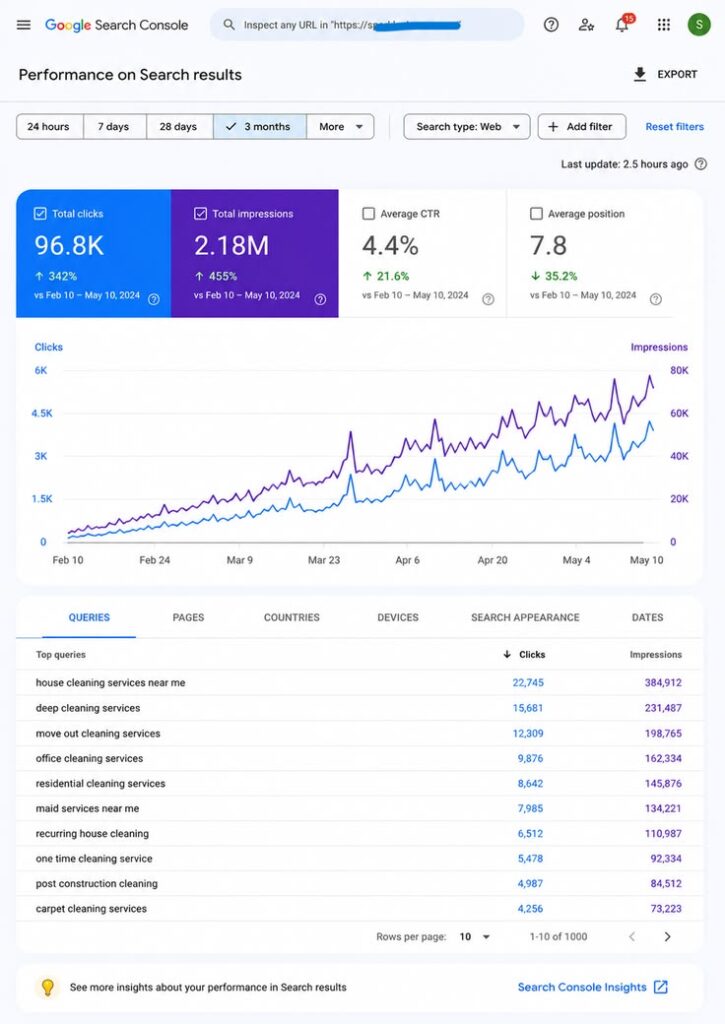
Regularly review your profile performance to understand how customers discover and interact with your business.
Depending on the available reporting features, you may be able to monitor:
- Searches and profile views
- Phone calls
- Website clicks
- Direction requests
- Customer interactions
Use Google Business Profile Performance data and tools such as Google Analytics to understand results.
For example, if website visits increase but inquiries remain low, review your service pages, contact forms, and calls to action.
10. Common Mistakes to Avoid
Avoid these mistakes when working on Google Business Profile optimization:
- Adding unnecessary keywords to your business name.
- Choosing irrelevant business categories.
- Ignoring customer reviews.
- Uploading misleading photos.
- Leave outdated contact details.
- Creating unnecessary duplicate profiles.
- Buying fake reviews.
- Expecting instant ranking improvements.
Follow Google’s guidelines and focus on providing accurate information and a good customer experience.
Frequently Asked Questions
Yes. Creating and managing a standard Google Business Profile is free. Third-party tools and professional services may charge fees.
Results vary depending on competition, location, profile quality, and other ranking factors. There is no guaranteed timeline.
Yes, Google Business Profile optimization helps improve local SEO by increasing your visibility on Google Search and Maps, attracting more local customers, and generating more calls and website visits.
Maintain accurate business information, choose relevant categories, collect genuine reviews, improve your website, and follow Google’s guidelines. No method guarantees a specific ranking.
A website is not always required, provided your business meets Google’s eligibility requirements. However, a useful website can provide additional information and support your local SEO efforts.
Conclusion
Google Business Profile optimization is an important strategy for businesses that want to attract more local customers in 2026. By maintaining accurate information, choosing relevant categories, uploading quality photos, collecting genuine reviews, and improving your website, you can make it easier for customers to discover and trust your business.
Start by reviewing your existing profile and correcting any missing or outdated information. Then improve your services, publish useful updates, and monitor your performance regularly.
With consistent effort and a customer-focused approach, your Google Business Profile Optimization can become a valuable part of your local SEO strategy.